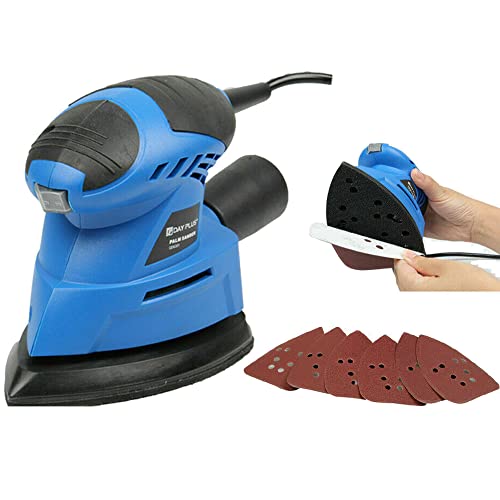
How To Attach Sanding Disc To Orbital Sander

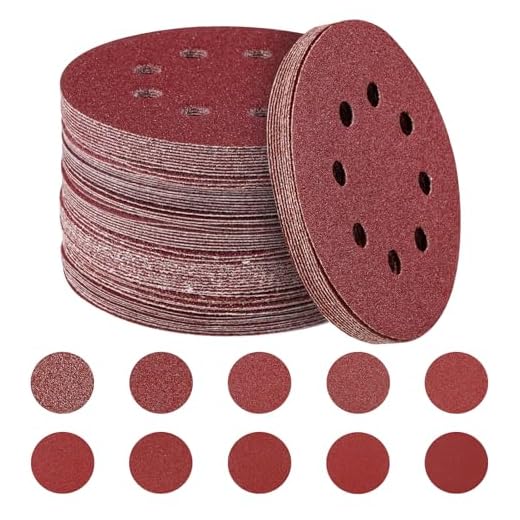


Attaching a sanding disc to an orbital sander is a simple process that can greatly improve the performance and productivity of your woodworking projects. Whether you are a beginner or an experienced woodworker, knowing how to properly attach a sanding disc is essential for achieving smooth and even sanding results.
In this guide, we will walk you through the steps to attach a sanding disc to an orbital sander, ensuring that it is securely fastened and ready for use. Follow these instructions to optimize your sanding process and achieve professional-looking results.
Step 1: Choose the right sanding disc
Before attaching the sanding disc, it is important to select the appropriate type of disc for your project. Consider factors such as the grit size, material, and shape of the disc. Grit size determines the coarseness or fineness of the abrasive material on the disc, while the material and shape of the disc should match the surface you are sanding.
Step 2: Prepare the sander

Make sure the orbital sander is turned off and unplugged before attaching the sanding disc. This will prevent any accidental activation and potential injuries. Once the sander is safely prepared, locate the backing pad, which is the circular foam or rubber portion where the sanding disc will be attached.
Step 3: Align the sanding disc
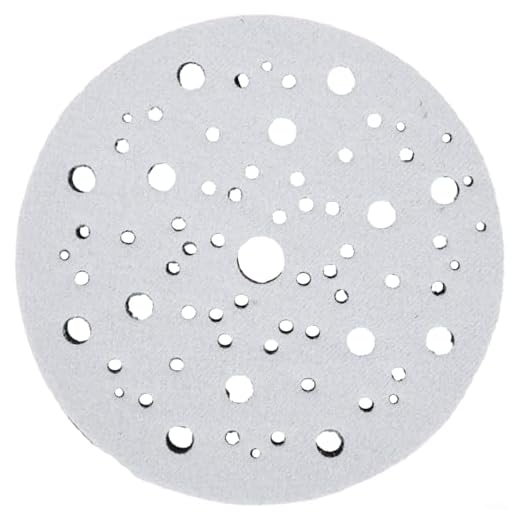
Position the sanding disc over the backing pad, aligning the holes on the disc with those on the pad. Most sanding discs have pre-punched holes to allow for dust collection or attachment to a specific type of sander. Aligning the holes will ensure a proper fit and prevent the disc from slipping during use.
Choosing the Right Sanding Disc
When it comes to sanding with an orbital sander, choosing the right sanding disc is crucial for achieving the desired results. There are several factors to consider when selecting the appropriate disc for your project.
Grit Size
The grit size of the sanding disc determines how coarse or fine the abrasive material is. Lower grit numbers, such as 40 or 60, are coarser and are ideal for removing heavy material or rough sanding. Higher grit numbers, such as 120 or 220, are finer and are suitable for achieving a smoother finish. It is important to consider the material you are working with and the finish you want to achieve when choosing the grit size.
Type of Sanding Disc
There are different types of sanding discs available, each designed for specific purposes. Here are some common types:
- Aluminum Oxide Discs: These discs are versatile and suitable for a wide range of materials. They are durable and provide good performance for general sanding tasks.
- Zirconia Alumina Discs: These discs are more aggressive and longer-lasting than aluminum oxide discs. They are ideal for heavy material removal and tough surfaces.
- Silicon Carbide Discs: These discs are primarily used for sanding glass, stone, and other hard materials. They offer high cutting power and are resistant to heat.
- Film Discs: These discs have a thin film backing, which allows for more flexibility and conformability to curved surfaces. They are ideal for finishing or polishing tasks.
Consider the material you are working with and the specific sanding task you need to accomplish when choosing the type of sanding disc.
Remember to always follow the manufacturer’s recommendations for your orbital sander and sanding disc combination. This includes checking the compatibility of the sanding disc with your sander, as not all discs are suitable for every model.
By considering the grit size and type of sanding disc, you can ensure that you have the right tool for the job and achieve the desired sanding results with your orbital sander.
Steps to Attach the Sanding Disc
Attaching the sanding disc to your orbital sander is a simple process that can be done in a few easy steps. Follow these instructions to ensure a secure and efficient attachment:
- Prepare your sander: Before attempting to attach the sanding disc, make sure your orbital sander is turned off and unplugged. This will help prevent any accidents during the process.
- Choose the right sanding disc size: Determine the correct size of sanding disc for your sander. Most orbital sanders have a specific size requirement, so check your sander’s manual or packaging for this information.
- Remove the old sanding disc: If you are replacing an old sanding disc, use caution and remove it carefully. Some sanding discs may have a quick-release system, while others might require unscrewing or detaching a hook-and-loop fastener.
- Clean the sanding pad: Take a moment to inspect and clean the sanding pad of any debris or dust. A clean surface will improve the adhesion and performance of the new sanding disc.
- Prepare the new sanding disc: If your sanding disc has a protective backing, remove it before attaching it to the sander. This will expose the adhesive side of the disc.
- Align the holes: Most sanding discs have holes that align with holes on the sander’s pad. Make sure the holes on the sanding disc are properly aligned with the holes on the pad. This will ensure proper dust collection and prevent any misalignment issues.
- Attach the sanding disc: Press the adhesive side of the sanding disc firmly onto the sander’s pad. Apply even pressure across the entire surface of the disc to ensure a strong bond.
- Secure the sanding disc: If your sander has a securing mechanism, such as a hook-and-loop fastener or a screw attachment, follow the manufacturer’s instructions to secure the sanding disc in place.
Once the sanding disc is securely attached to your orbital sander, you are ready to start your sanding project. Remember to always follow proper safety precautions and wear the appropriate protective gear when using power tools.
Benefits of Properly Attaching the Sanding Disc
Properly attaching the sanding disc to your orbital sander is essential for achieving the best sanding results. Here are some of the benefits of ensuring a secure and accurate attachment:
1. Improved Performance
When the sanding disc is properly attached, it allows for smooth and consistent sanding. The disc remains securely in place, minimizing the chances of it slipping or coming loose during operation. This ensures that you can achieve the desired sanding results efficiently and effectively.
2. Enhanced Safety
A properly attached sanding disc reduces the risk of accidents and injuries. If the disc is not firmly attached, it can fly off during sanding, posing a danger to the operator and others nearby. By securely attaching the sanding disc, you can ensure a safe working environment and minimize the chances of accidents occurring.
3. Longer Disc Lifespan
Proper attachment also plays a role in extending the lifespan of your sanding disc. If the disc is not properly attached, it can become damaged quickly, resulting in the need for frequent replacements. By attaching the disc correctly, you reduce the amount of wear and tear it experiences, ultimately saving you money on replacement discs.
4. Improved Sanding Results
A securely attached sanding disc allows for more precise and controlled sanding. Without any slippage or movement, you can achieve uniform and even sanding across the surface, resulting in a smooth and professional finish. Whether you are sanding wood, metal, or other materials, proper attachment ensures that you can achieve the best sanding results.
| Benefits |
|---|
| Improved Performance |
| Enhanced Safety |
| Longer Disc Lifespan |
| Improved Sanding Results |
Common Mistakes to Avoid
When attaching a sanding disc to an orbital sander, there are a few common mistakes that you should avoid to ensure a successful and safe sanding experience. By being aware of these mistakes, you can prevent damage to your sander and achieve better sanding results.
1. Applying Too Much Pressure
One of the most common mistakes is applying too much pressure when attaching the sanding disc. This can cause the disc to wear out quickly and may even damage the sander’s pad. It’s important to remember that orbital sanders are designed to work with minimal pressure. Let the sander’s weight and motion do the work for you.
2. Using the Wrong Size or Type of Disc
Using the wrong size or type of sanding disc can lead to poor sanding performance and potential damage to your sander. Always check the manufacturer’s guidelines to ensure that you are using the correct size and type of disc for your sander. Using an incompatible disc can result in poor sanding results and may even cause the disc to come loose during operation.
3. Failing to Clean the Pad
Before attaching a new sanding disc, it’s important to clean the sander’s pad to remove any debris or residue from previous use. Failure to do so can result in poor adhesion between the disc and the pad, leading to the disc coming loose during sanding. Use a clean cloth or brush to remove any dust or debris from the pad before attaching a new disc.
4. Not Centering the Disc Properly
Properly centering the sanding disc on the sander’s pad is crucial for the disc to spin evenly and prevent any wobbling or vibration. Failing to center the disc properly can result in uneven sanding and may even damage the sander’s pad. Take your time to align the holes on the disc with the holes on the pad and ensure that the disc is centered before securing it in place.
5. Ignoring Safety Precautions
When attaching a sanding disc to an orbital sander, it’s important to follow the manufacturer’s instructions and safety guidelines. Ignoring these precautions can result in accidents or injuries. Always wear appropriate safety gear, such as safety goggles and a dust mask, and ensure that the sander is powered off and unplugged before attaching or removing a disc.

Avoiding these common mistakes will help you achieve better sanding results and prolong the lifespan of your orbital sander. Take the time to properly attach the sanding disc and follow the necessary precautions for a safe and effective sanding experience.
Questions and answers
What is an orbital sander used for?
An orbital sander is a power tool that is used for sanding wood, metal, or plastic surfaces. It is commonly used in woodworking projects to smooth and shape surfaces or remove old finishes.
How do I attach a sanding disc to an orbital sander?
To attach a sanding disc to an orbital sander, you first need to make sure the sander is turned off and unplugged. Then, locate the metal spindle on the bottom of the sander. Place the sanding disc onto the spindle, aligning the holes in the disc with the hooks on the spindle. Push the disc firmly onto the spindle, making sure it is centered. Finally, tighten the disc in place by turning the disc retaining screw clockwise until it is snug.

Can I reuse sanding discs on an orbital sander?
While some sanding discs can be reused, it is generally recommended to replace them after a few uses. Over time, the sandpaper on the discs will wear down and become less effective at sanding. Reusing worn-out discs can result in poor sanding performance and may even damage the surface you are working on. It is best to have a supply of fresh sanding discs on hand, so you can easily replace them as needed.


Meet Harrison Clayton, a distinguished author and home remodeling enthusiast whose expertise in the realm of renovation is second to none. With a passion for transforming houses into inviting homes, Harrison's writing at https://hutsrenovations.co.uk/ brings a breath of fresh inspiration to the world of home improvement. Whether you're looking to revamp a small corner of your abode or embark on a complete home transformation, Harrison's articles provide the essential expertise and creative flair to turn your visions into reality. So, dive into the captivating world of home remodeling with Harrison Clayton and unlock the full potential of your living space with every word he writes.