
How to get ethernet upstairs
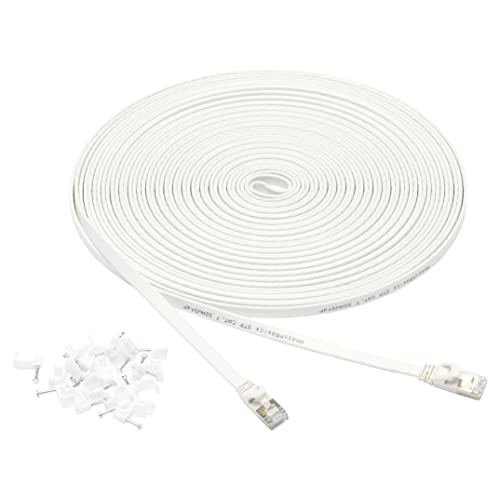


If you are experiencing weak or unreliable Wi-Fi signals and have an area in your home where the Wi-Fi connection is particularly poor, you may want to consider getting an Ethernet connection upstairs. Ethernet provides a faster and more reliable internet connection compared to Wi-Fi, making it ideal for activities such as gaming, streaming, and video conferencing.
There are several ways to get Ethernet upstairs, depending on the layout and structure of your home. One option is to run an Ethernet cable directly from your router upstairs. This may involve drilling holes, running cables along walls or under carpets, and connecting the cable to a wallplate or outlet.
If running a cable is not feasible or aesthetically pleasing, you can consider using powerline adapters. Powerline adapters utilize your home’s existing electrical wiring to transmit data signals. You simply plug one adapter into an electrical outlet near your router and connect it to the router using an Ethernet cable. Then, you plug the second adapter into an electrical outlet near your desired location upstairs and connect your device to it using another Ethernet cable. This allows you to create a wired connection without the need for long cables.

Alternatively, you can use a mesh Wi-Fi system that has Ethernet ports on the nodes. Mesh Wi-Fi systems use multiple devices, called nodes, to create a seamless Wi-Fi network throughout your home. Some mesh systems offer nodes with built-in Ethernet ports, allowing you to connect devices upstairs directly to the node using an Ethernet cable. This can provide a stable and high-speed internet connection without sacrificing the convenience of wireless network coverage.
Ultimately, the method you choose to get Ethernet upstairs depends on your specific needs, preferences, and the limitations of your home’s layout. Consider factors such as speed, convenience, and cost before deciding on the best solution for you. With a reliable Ethernet connection upstairs, you can enjoy a seamless and uninterrupted internet experience throughout your home.
Step-by-Step Guide on Getting Ethernet Upstairs
If you’re tired of relying on slow Wi-Fi connection upstairs and want a reliable Ethernet connection instead, follow these steps to easily get Ethernet upstairs:
- Identify the existing Ethernet ports: Check if there are already Ethernet ports located upstairs. This may depend on the age and layout of your home. Look for any existing wall jacks or ports that resemble large telephone jacks.
- Check if there are accessible conduits: Next, see if there are accessible conduits or pathways that connect the upstairs and downstairs areas. Common examples include heating ducts or ventilation shafts. If such conduits exist, you can use them to route Ethernet cables.
- Plan the cable route: Determine the best route for the Ethernet cable to reach upstairs. Keep in mind any obstacles or obstructions that might hinder cable installation. Choose a route that minimizes cable visibility and maximizes efficiency and performance.
- Measure and purchase Ethernet cable: Measure the distance from your router to the intended Ethernet port upstairs to ensure you purchase the correct length of cable. Cat6 or Cat6a cables are recommended for their speed and performance capabilities.
- Prepare the cables and connectors: Once you have the Ethernet cable, prepare it by stripping the outer jacket about an inch at both ends. Then, attach the RJ-45 connectors using a crimping tool following the correct color code standards (TIA/EIA-568-B).
- Route the Ethernet cable: Begin routing the cable from the router to the upstairs location using the route you planned. Insert the cable into the accessible conduits or through the designated areas until it reaches the upstairs destination.
- Install the wall jacks: At the upstairs location, install Ethernet wall jacks if there aren’t any already present. Use a wall punch tool or a similar tool to make a hole in the wall, then attach the wall jack securely.
- Connect the cables and test the connection: Connect one end of the Ethernet cable to the router’s LAN port and the other end to the newly installed wall jack. Test the connection by confirming if the network signal is established and if you can access the internet or other network devices upstairs.
- Secure and organize the cables: To promote a tidy and secure installation, use cable clips or adhesive cable holders to secure the routed Ethernet cable along the walls or baseboards. Avoid high-temperature areas or places prone to physical damage.
Following these step-by-step instructions will successfully get Ethernet upstairs, ensuring fast and reliable connectivity throughout your entire home. Enjoy faster internet speeds and a more stable network connection for all your devices!
Evaluating the Existing Setup
Before attempting to install ethernet upstairs, it’s important to evaluate your existing setup to ensure everything is working correctly. This will help identify any potential conflicts or challenges that may arise during the installation process. Here are some points to consider:
1. Internet Connection
Check the stability of your current internet connection. Run a speed test to determine the upload and download speeds. A reliable and fast internet connection will ensure a smooth ethernet installation.
2. Router Placement
Take a look at where your router is currently located in your home. If it is downstairs, consider if it’s feasible to move it upstairs. The closer the router is to the areas where you want to use ethernet, the better your signal strength and performance will be.
3. Existing Wiring
Inspect your home’s existing wiring infrastructure. Determine if there are any existing ethernet ports or telephone jacks upstairs that could potentially be repurposed for ethernet. This can save you time and effort in the installation process.
If you don’t have existing wiring, consider the layout of your home’s walls. Determine if running ethernet cables along the walls is a viable option. Measure the distance between rooms to make sure you have enough cable length.
4. Interference
Identify any potential sources of interference in your home that could affect ethernet performance, such as electronic appliances, wireless devices, or thick walls. This will help determine if additional measures, like using Ethernet over Powerline (EoP) adapters or wireless mesh systems, may be necessary for optimal performance.
5. Future Expansion
Consider your future plans for your home network. If you anticipate expanding your network or adding more devices in the future, it’s worth investing in a scalable solution that can accommodate your needs.
By evaluating your existing setup, you can identify any potential challenges and make informed decisions to ensure a successful ethernet installation upstairs.
Implementing Solutions for Ethernet Upstairs
Having a stable, high-speed internet connection throughout your house is becoming increasingly important in today’s digital age. If you are looking to connect Ethernet upstairs in your home, there are several solutions you can consider.
1. Wi-Fi Extenders:
If you have a Wi-Fi router downstairs, one simple solution is to use a Wi-Fi extender. These devices can help boost the Wi-Fi signal and extend its coverage to the upper floors. However, keep in mind that Wi-Fi extenders can sometimes result in decreased internet speeds, especially if the extender is far from the router.
2. Powerline Adapters:
Another option is to use powerline adapters, sometimes referred to as Ethernet extenders. These devices utilize your home’s existing electrical wiring to transmit the internet signal from the router to upstairs. Simply plug one adapter into an electrical socket near your router, and another adapter in a suitable socket upstairs. Then, connect your devices to the adapter upstairs using an Ethernet cable.
3. Ethernet Over Coaxial Cable:
If your home has pre-installed coaxial cable outlets, you can use Ethernet over coaxial cable adapters. Connect one adapter to your router using an Ethernet cable and the other to a coaxial outlet upstairs. Then, connect your devices to the adapter upstairs using another Ethernet cable.
Note: For optimal performance, it is recommended to use high-quality Ethernet cables and adapters.
4. Installing Ethernet Cables:
If you are comfortable with a little DIY work and want the most reliable connection, you can consider installing Ethernet cables directly from the router to upstairs. This requires running Ethernet cables through walls or ceilings, so make sure to plan and measure carefully before starting. You may also need to use conduit or other hiding solutions to maintain a clean and professional appearance.
Remember: Safety first! Always turn off the electricity before working with electrical outlets or wiring.
Each solution comes with its own advantages and disadvantages, so consider your specific needs and preferences before making a decision. When implementing any solution, it’s always a good idea to test the connection and ensure that you are achieving the desired internet speeds upstairs. Implementing a stable Ethernet connection upstairs can greatly improve your internet experience and allow you to make the most of your digital devices and activities.


Meet Harrison Clayton, a distinguished author and home remodeling enthusiast whose expertise in the realm of renovation is second to none. With a passion for transforming houses into inviting homes, Harrison's writing at https://hutsrenovations.co.uk/ brings a breath of fresh inspiration to the world of home improvement. Whether you're looking to revamp a small corner of your abode or embark on a complete home transformation, Harrison's articles provide the essential expertise and creative flair to turn your visions into reality. So, dive into the captivating world of home remodeling with Harrison Clayton and unlock the full potential of your living space with every word he writes.